

Save Files, Reuse Queries, and Build Persistent Data Workflows in ParquetReader
From one-time file viewer to persistent data workspace
ParquetReader started as a fast way to open, inspect, query, and export data files online. That is still the core experience: upload a Parquet, CSV, JSON, JSONL, Excel, Avro, ORC, Feather, or other supported file and immediately explore it in your browser.
But many users do not only want to inspect a file once. They want to come back later, rerun the same query, connect the file to another system, or use it as a stable data source for automation.
That is why we are introducing saved files and saved queries for Day Pass and subscription users.
Save files and reopen them later
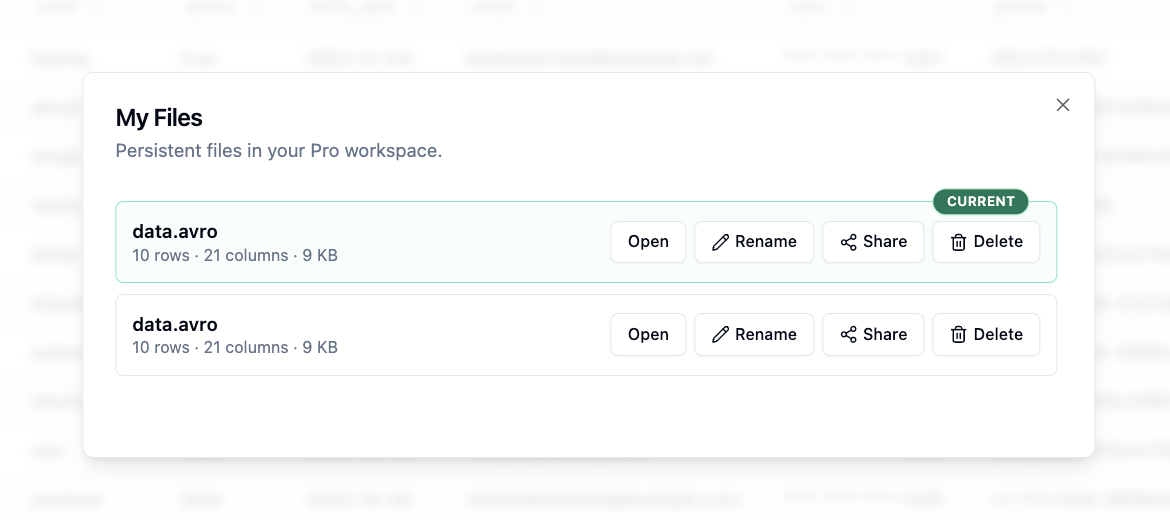
With saved files, you can persist a file in ParquetReader and reopen it later without uploading it again. This is useful when you are working with the same dataset over multiple sessions, validating a file for a client, or building a repeatable workflow around a data export.
Instead of treating every upload as temporary, paid users can now save selected files to My Files. From there, you can open the file again, inspect the schema, search rows, run SQL queries, and continue your analysis.
This feature is available for Day Pass and subscription users.
Build persistent integrations with your files
A saved file is more than a file you can reopen. It can also become a stable data source for other tools.
Because the file remains available, you can build integrations with systems like Power BI, n8n, internal dashboards, automation scripts, or AI agents. Instead of uploading the same file again and again, you can connect to a persistent file and query it through ParquetReader.
This makes it possible to create workflows where other systems can talk to Parquet, CSV, JSON, JSONL, Excel, Avro, ORC, Feather, and other data files without first loading them into a database.
Use Parquet files with Power BI, n8n, and AI agents
Persistent files are especially useful for automation. For example, you can save a Parquet file and use it as a source for a Power BI workflow, an n8n automation, or a custom backend process.
You can also build AI agents that query file-based datasets. An agent can ask questions, generate SQL, retrieve results, and reason over the data without needing direct access to your local machine.
This turns ParquetReader into a lightweight bridge between file-based data and modern automation tools.
Save SQL queries and reuse them later
Many data tasks are repetitive. You may need the same filter, aggregation, validation query, or export query more than once.
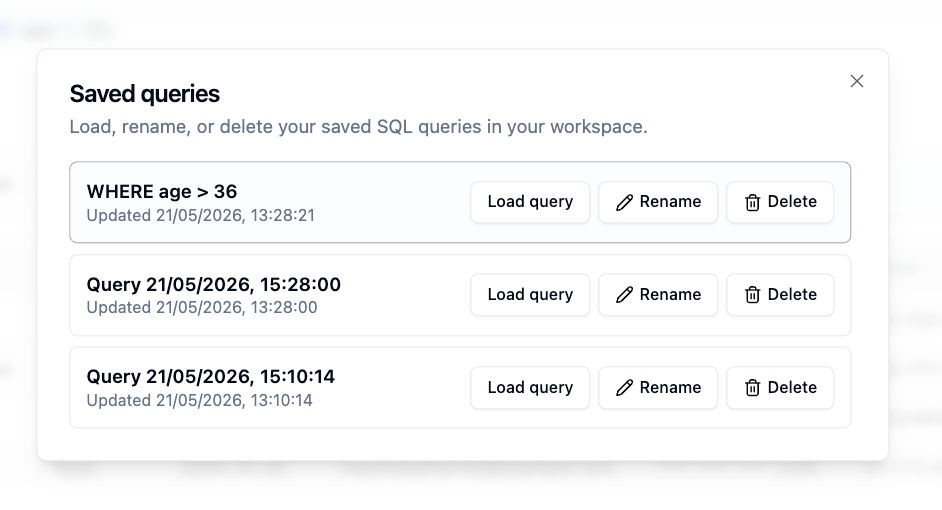
Saved queries let paid users store useful SQL queries and reuse them later. Instead of rewriting the same SQL every time, you can save it, reopen it, adjust it if needed, and run it again on your saved file.
This is useful for recurring checks such as finding missing values, filtering customer records, preparing exports, counting events, or validating data before it is sent to another system.
Example: save a query for repeated analysis
For example, you might save a query that checks for missing email addresses:
SELECT *
FROM dataset
WHERE email IS NULL OR email = ''
Or a query that prepares a clean export for another tool:
SELECT customer_id, email, created_at, total_spend
FROM dataset
WHERE customer_id IS NOT NULL
ORDER BY created_at DESC
Once saved, these queries can become part of your repeatable data workflow.
Secure access without requiring a login
ParquetReader is designed to stay simple. You do not need to create a traditional account just to use the product.
For paid access, your API key acts as your access key. Saved files are protected so they are not accessible just because someone knows a file ID. Access requires the correct API key or a valid share token.
We take this seriously because saved files are different from temporary uploads. When files become persistent, access control matters. That is why we have put extra attention into ownership checks, share-token validation, and protecting saved files from unauthorized access.
Share saved files when needed
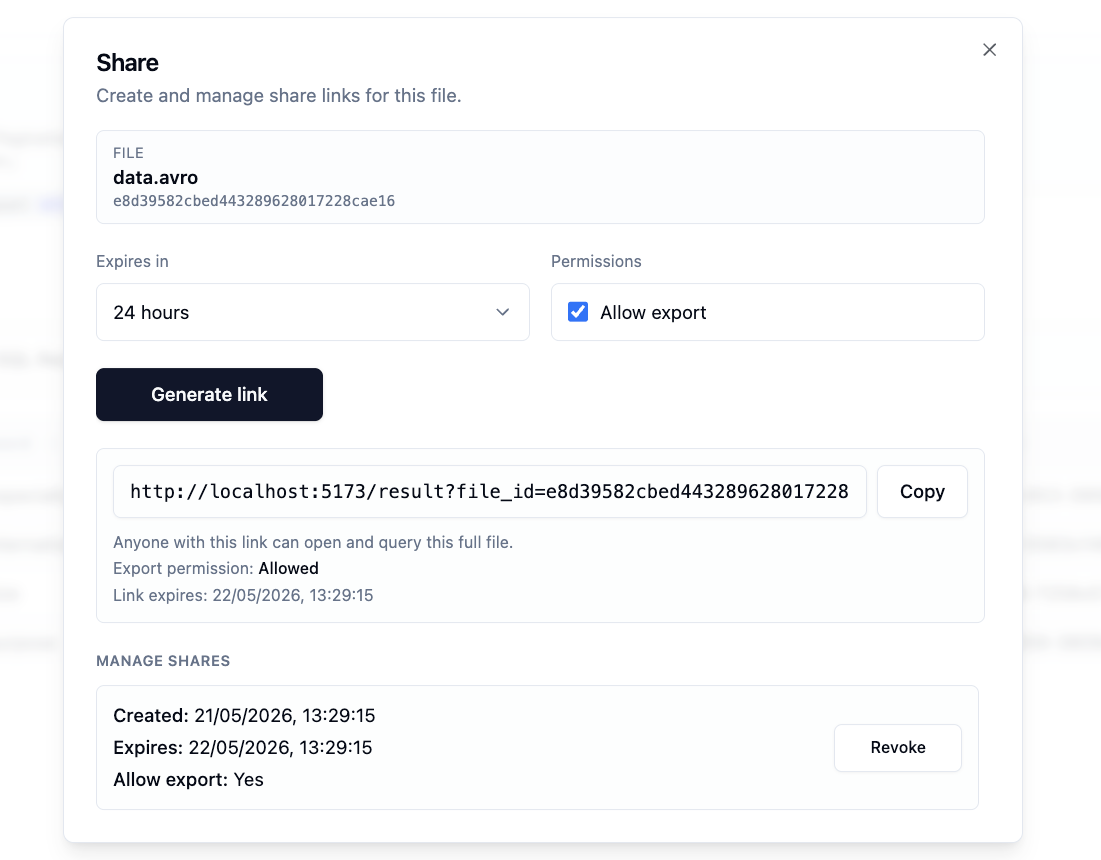
Saved files can also be shared when you explicitly choose to share them. This is useful when a colleague, customer, or support contact needs to inspect the same dataset.
Sharing is based on secure share tokens, not on the file ID alone. This means a file can remain private by default while still allowing controlled access when you need it.
For sensitive workflows, this is much safer than sending raw files around by email.
Why this matters
Saving files and queries turns ParquetReader from a one-time inspection tool into a more complete data workflow tool.
Less repeated uploading. Save important files once and reopen them later.
Reusable analysis. Save SQL queries for validation, filtering, reporting, and exports.
Better integrations. Use persistent files with Power BI, n8n, scripts, dashboards, and AI agents.
Safer collaboration. Share files intentionally with token-based access instead of exposing files by ID.
No heavy database setup. Work with file-based data without first importing everything into a warehouse or database.
Available for Day Pass and subscription users
Saved files and saved queries are available for Day Pass and subscription users.
The Day Pass unlocks exports for 24 hours with a one-time payment. This is useful when you need to solve a file problem today, save a file temporarily, export a result, or test an integration.
Subscriptions are better for ongoing work, repeated file analysis, saved workflows, and integrations that need to keep working over time.
Start building reusable file workflows
If you only need to inspect a file quickly, ParquetReader still works as a fast online file viewer.
But if you want to keep files available, reuse SQL, connect to other tools, or build automations around file-based datasets, saved files and saved queries give you a much stronger workflow.