

N8N AI Agents x ParquetReader
AI agents become much more useful when they can work with real data. With ParquetReader, you can save a file once and let an n8n AI Agent search and analyze that persistent file through the ParquetReader API.
Instead of uploading the same Parquet, CSV, JSON, JSONL, Excel, Avro, ORC, Feather, or other supported file again and again, you can turn it into a stable data source for automated analysis.
This makes ParquetReader a lightweight bridge between file-based datasets and next-generation AI-powered data analysis.
What does this workflow do?
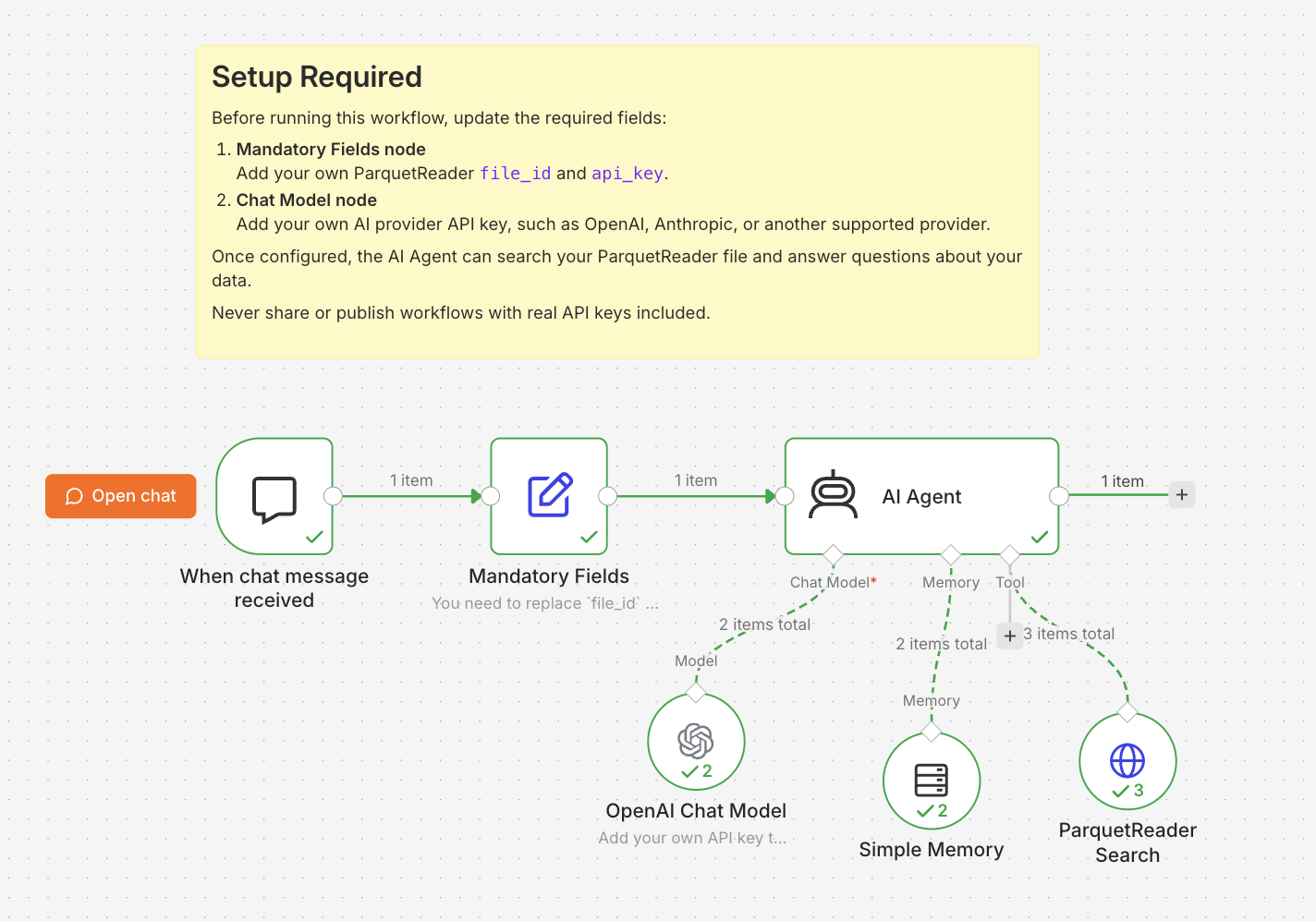
The workflow connects an n8n chat trigger to an AI Agent. The agent has access to a ParquetReader Search tool, which can search inside a preconfigured persistent file.
You can ask questions like: What is this dataset about? Which columns are available? Find rows related to a specific value. What are the survival rate statistics? The agent can inspect the file, retrieve relevant data, and explain the results in natural language.
Why this is powerful
Traditional AI chat tools are limited by context windows and temporary uploads. Large files often do not fit into the prompt, and uploaded files are not always available later.
With persistent files in ParquetReader, the file stays available as a secure data source. The AI Agent does not need to load the full dataset into the prompt. It can retrieve relevant data only when needed.
This enables a more practical form of AI-assisted data analysis: the agent can help you explore datasets, validate assumptions, summarize patterns, generate SQL ideas, and answer follow-up questions based on the same file.
In other words: upload once, save securely, and let your AI workflow keep talking to the same dataset.
Benefits
Upload once, analyze repeatedly. Save a file in ParquetReader and reuse it in your n8n workflow.
AI-assisted analysis. Ask natural-language questions about your dataset and let the agent retrieve relevant information.
No database setup required. Use file-based data without first importing it into a warehouse or database.
Works with persistent files. Your workflow can keep using the same file ID across sessions.
Secure access. A file ID alone is not enough. The workflow also requires your ParquetReader API key.
Flexible AI provider. Use OpenAI, Anthropic, or another chat model supported by n8n.
How to use the n8n workflow
You do not need to configure every step from scratch. The workflow is already prepared. You only need a persistent ParquetReader file, your ParquetReader API key, and an AI provider API key.
The setup has four main steps: save a file in ParquetReader, copy your file ID and API key, replace the required fields in n8n, and start chatting with your data.
Below, we walk through the key steps. You do not need to follow every internal node in detail; the workflow is already prepared so you can focus on connecting your own file and AI provider.
Step 1: Upload and save your file in ParquetReader
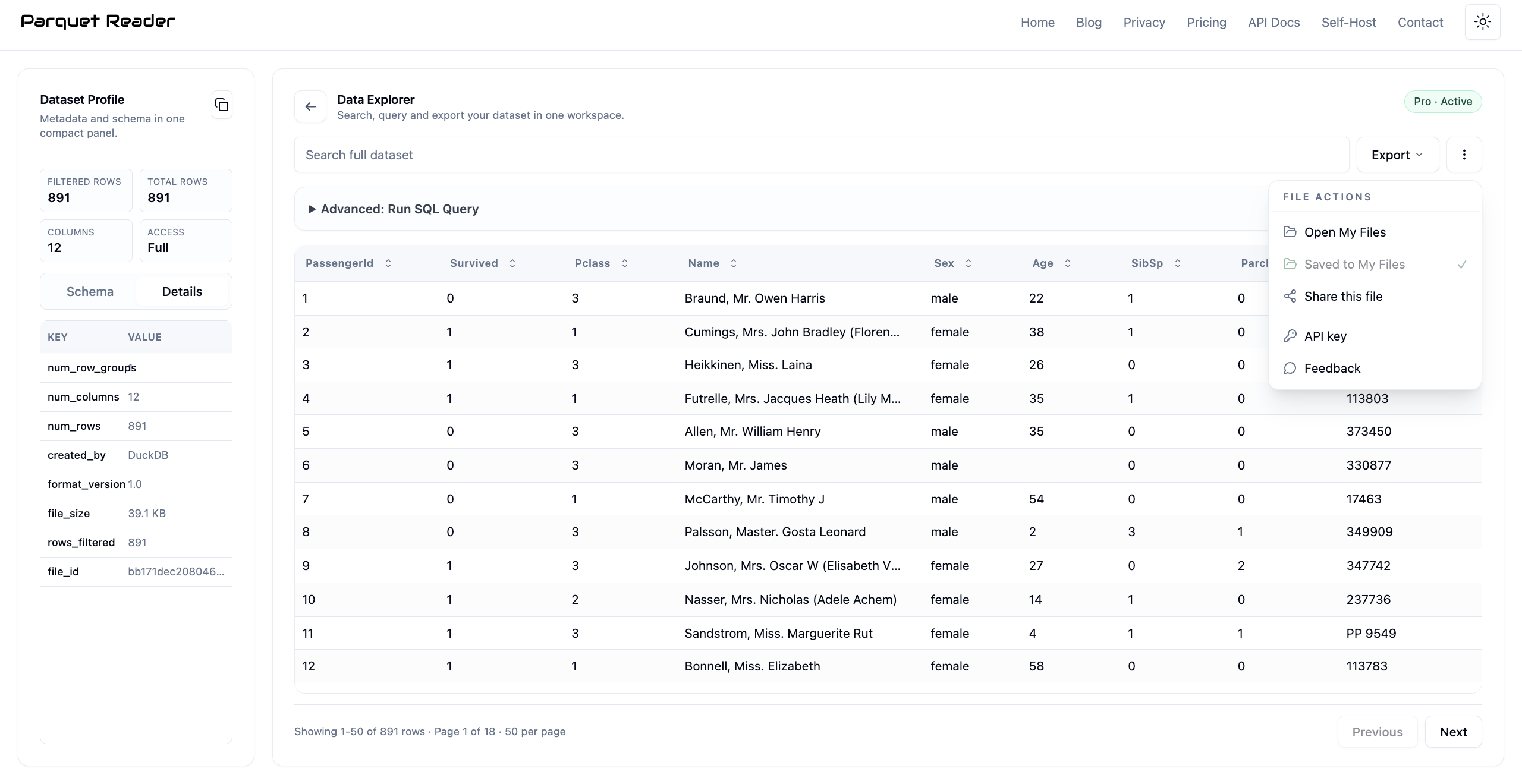
First, upload your data file in ParquetReader. After the file is opened, save it to My Files. This step is important: only saved files become persistent and can be reused later by your n8n workflow.
Once saved, the file can be reopened, queried, searched, and connected to external tools without uploading it again.
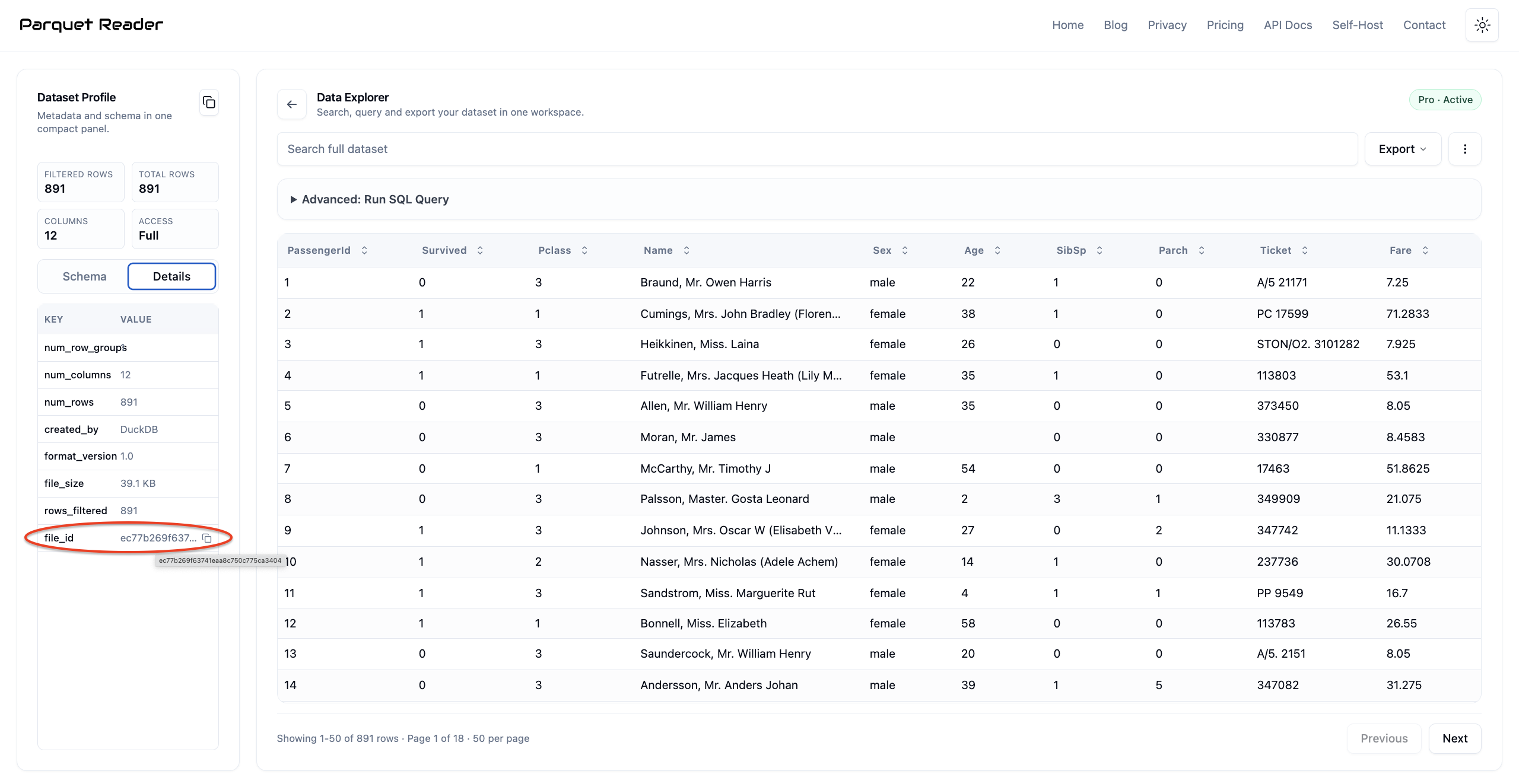
Step 2: Open My Files and copy the file ID
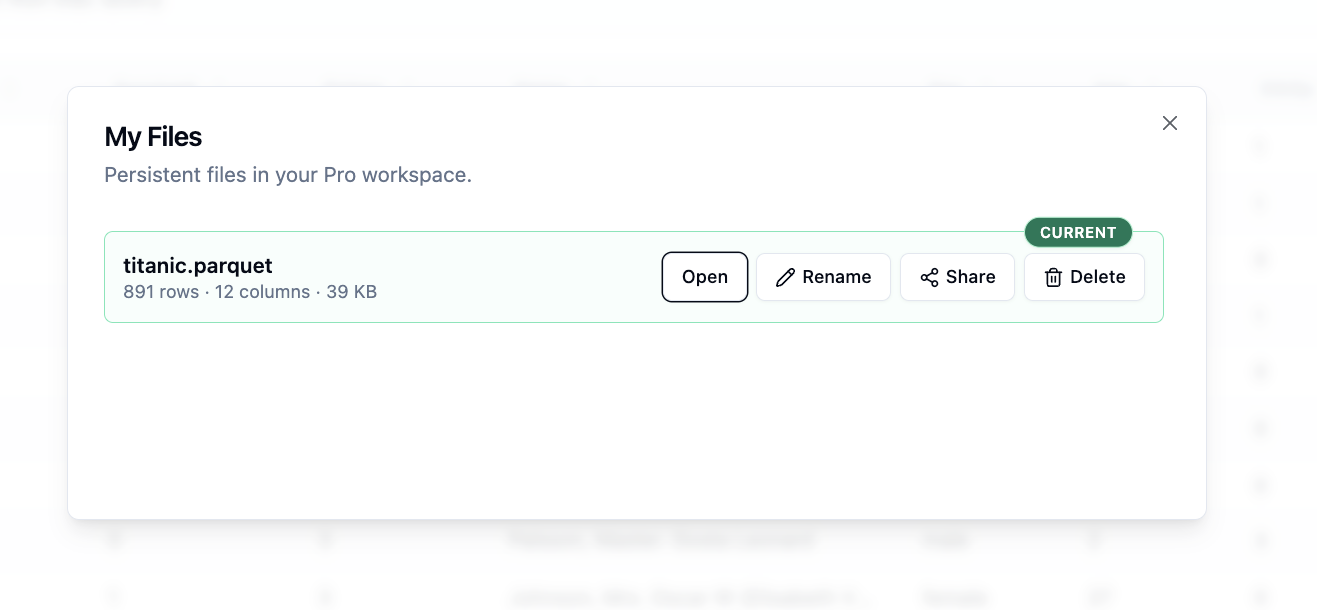
Open My Files to verify that your file is saved. Then open the file details and copy the file ID. This file ID tells the workflow which persistent file the AI Agent should use.
The file ID alone does not grant access. The workflow also needs your ParquetReader API key.
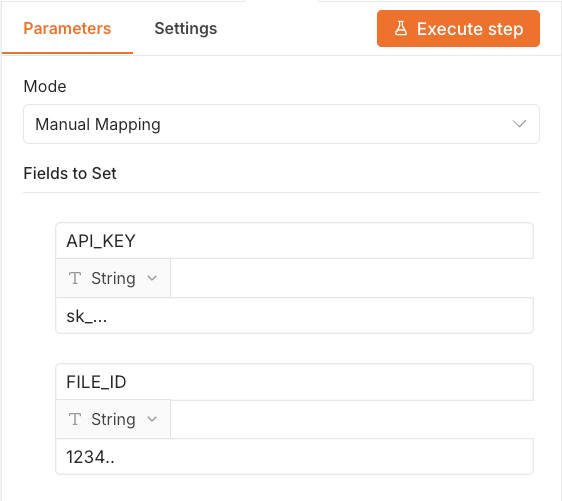
Step 3: Replace the required fields in n8n
Import the workflow into n8n and open the Mandatory Fields node. Replace the placeholder values with your own ParquetReader file ID and API key.
Never share or publish workflows with real API keys included.
Step 4: Configure your AI provider
Open the Chat Model node and add your own AI provider API key. You can use OpenAI, Anthropic, or another chat model provider supported by n8n.
After this step, the workflow is ready. Start the chat and ask questions about your persistent file.
For example, you can ask: What is this dataset about? Which fields are available? Are there missing values? What patterns can you find? Can you summarize the key statistics?
Example: analyzing the Titanic dataset
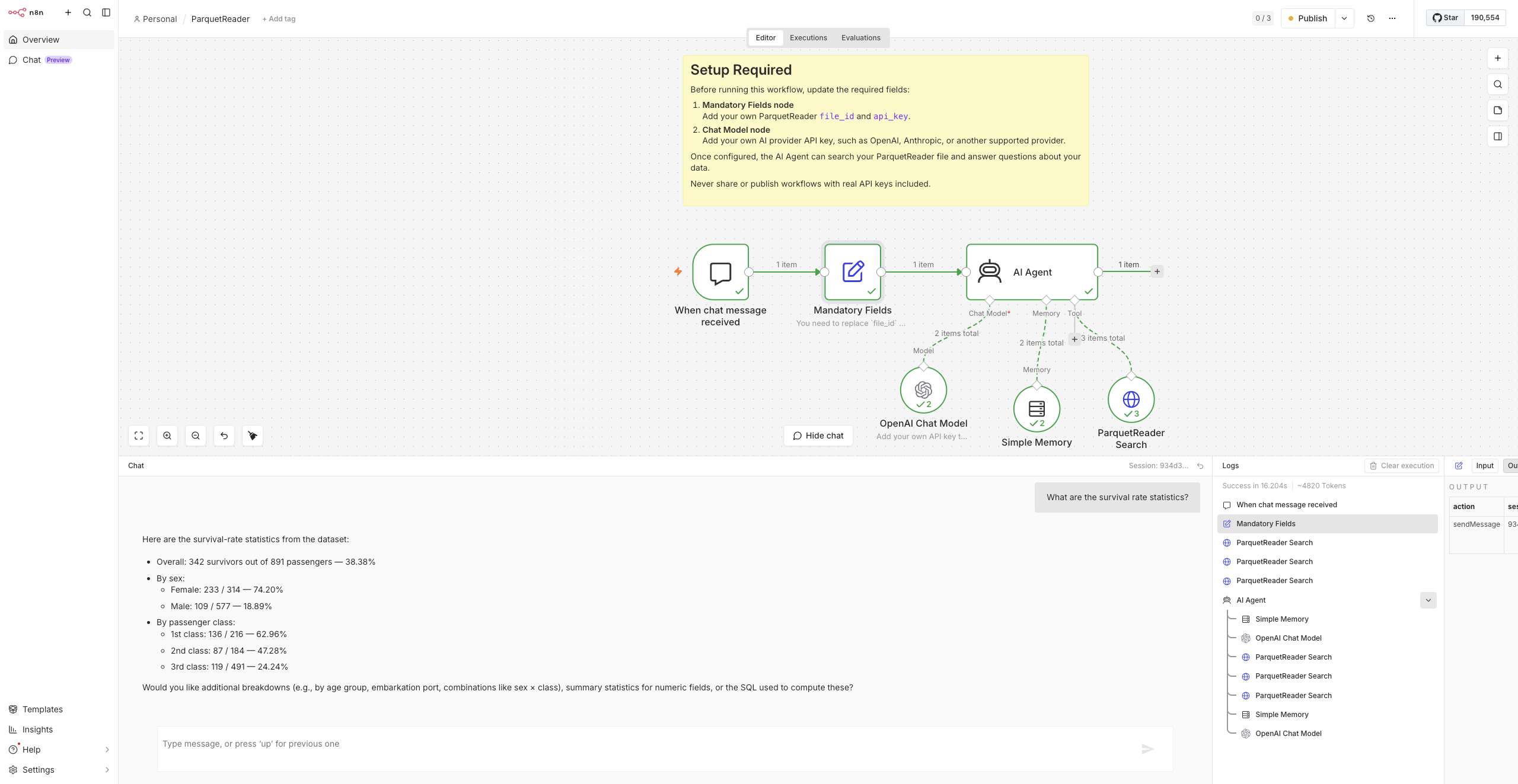
For example, connect the workflow to a Titanic dataset and ask: What is this dataset about?
The AI Agent can inspect the available data and explain that the dataset contains passenger information such as age, class, sex, fare, and survival status.
Then ask a follow-up question such as: What are the survival rate statistics?
The agent can search the persistent file, inspect relevant data, reason over the results, and explain the analysis in natural language.
Download the n8n workflow
You can download the ready-to-use n8n workflow and configure it with your own ParquetReader file ID, ParquetReader API key, and AI provider API key.
Before sharing or publishing the workflow, always remove real API keys and sensitive values.
Who is this useful for?
This workflow is useful for data analysts, developers, automation builders, consultants, support teams, and anyone who needs to repeatedly inspect or analyze file-based datasets.
It is especially useful when you receive files from customers, partners, exports, dashboards, internal systems, or data pipelines and want to quickly ask questions without setting up a database.
Instead of manually opening a file, writing filters, exporting results, and repeating the same process later, you can create an AI-powered workflow around a persistent data file.
Need help?
If you need help setting up the workflow, connecting your persistent file, or configuring your AI provider, contact us at hello@parquetreader.com.
You can also use the contact form at https://parquetreader.com/contact.
Start building AI-ready file workflows
ParquetReader is no longer only a fast way to open and inspect data files. With persistent files and API access, it can also become a stable data source for automation and AI workflows.
Save your file once, connect it to n8n, and start asking questions directly from your AI Agent.